Brother PE550D vs SE600: Disney Magic or Practical Versatility?
One is a specialist with a touch of Disney magic; the other is a jack-of-all-trades. We break down the crucial differences so you don’t buy the wrong machine.
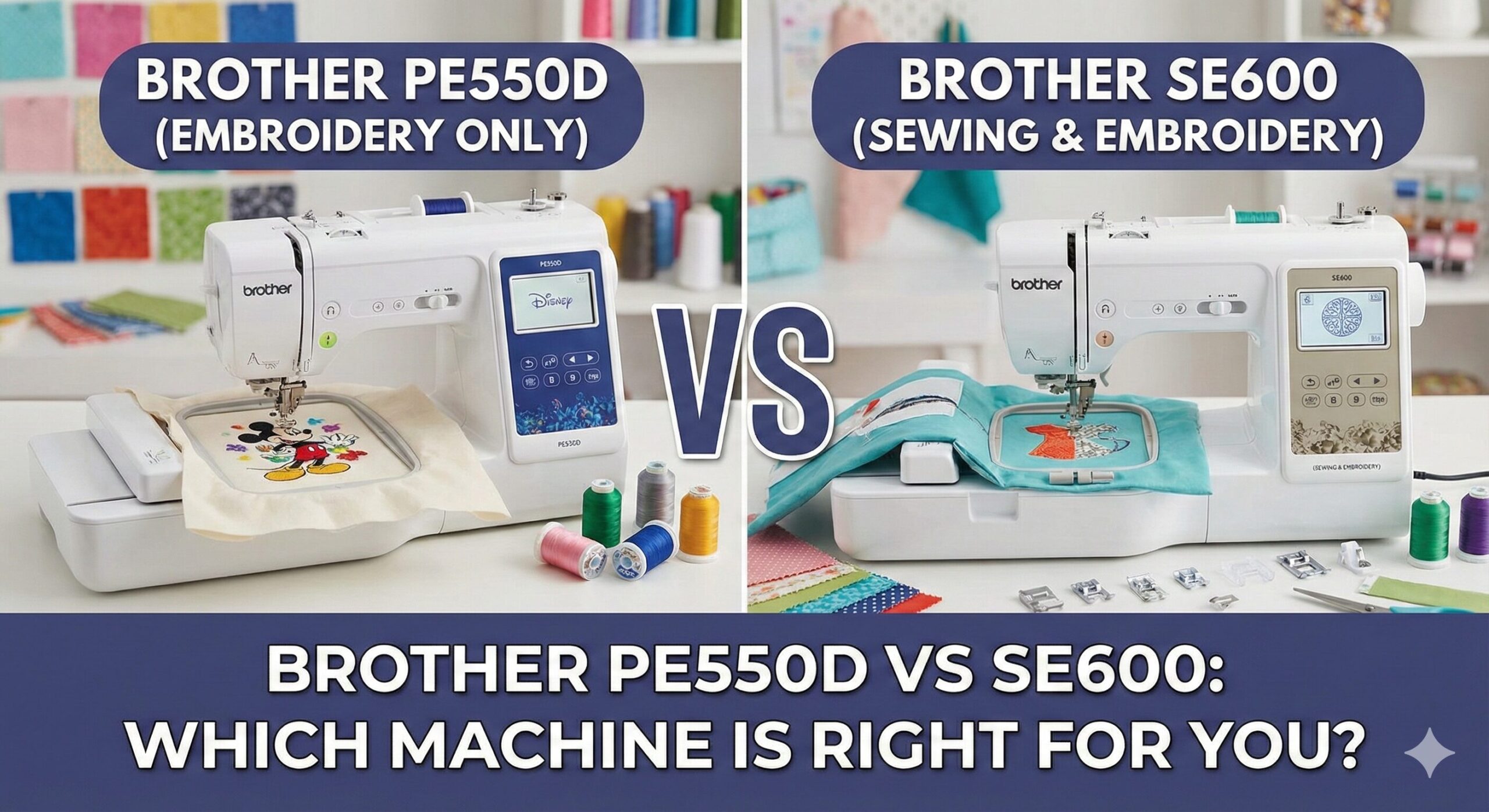
Entering the world of machine embroidery is exciting, but the machine model numbers can be incredibly confusing. Two of the most popular entry-level machines on the market are the Brother PE550D and the Brother SE600.
At first glance, they look nearly identical. They share the same chassis, the same touchscreen, and often sit at similar price points. However, buying the wrong one can be a disastrous mistake depending on your needs. One is a capable all-in-one workshop, while the other is a specialized tool designed to sit alongside your existing setup.
In this comprehensive guide, we are going to dissect the critical differences between these two models. Do you need the licensed Disney characters? Do you need to hem jeans? Let’s find out which machine belongs in your craft room.
The “Deal-Breaker” Difference: Functionality
Before we look at the specs, we need to address the most important distinction immediately. This single factor should dictate 90% of your decision.
Brother PE550D: The Specialist
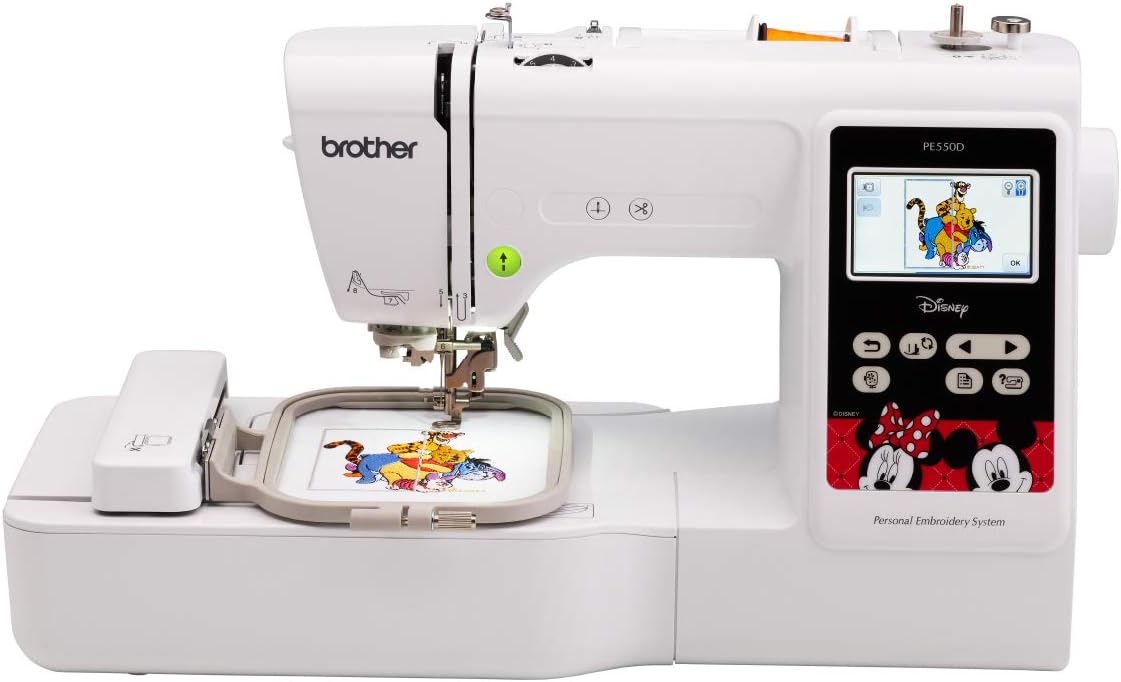
The “PE” stands for Personal Embroidery. This machine has no feed dogs to pull fabric through, no foot pedal, and no utility stitches (like straight stitch or zigzag). Its sole purpose is to move an embroidery hoop to create designs. If you buy this expecting to make a dress or fix a tear in a shirt, you will be disappointed. It is designed to be a “sidekick” to your main sewing machine.
Brother SE600: The Combo Machine
The “SE” stands for Sewing & Embroidery. This machine does it all. You can remove the embroidery arm, attach a standard presser foot, and use it as a fully functional computerized sewing machine with 103 built-in stitches. When you are ready to embroider, you snap the arm back on. It is an entire studio in one box.
Quick Comparison Table
Here is the technical breakdown of how these two siblings compare.
| Feature | Brother PE550D | Brother SE600 |
|---|---|---|
| Machine Type | Embroidery ONLY | Sewing & Embroidery Combo |
| Max Hoop Size | 4″ x 4″ | 4″ x 4″ |
| Built-in Designs | 125 Total (45 Disney) | 80 Generic Designs |
| Sewing Stitches | 0 (None) | 103 (Utility & Decorative) |
| Disney Licensed? | Yes (Built-in) | No (Must purchase separately) |
| USB Port | Yes | Yes |
| Display | 3.2″ Color Touchscreen | 3.2″ Color Touchscreen |
| Price Tier | Entry-Level | Entry-Level Combo |
The Disney Factor: Designs and Licensing
If the sewing capability is the first major difference, the design library is the second. The “D” in PE550D stands for Disney.
Brother PE550D Library
The PE550D comes pre-loaded with 125 designs, and 45 of those are licensed Disney characters. This includes Mickey, Minnie, Cars, princesses, and more. If you are a Disney family or plan to make personalized gifts for children who love these characters, having these designs built-in is a huge value add. Buying these designs separately online can cost $5–$10 per design.
Brother SE600 Library
The SE600 comes with 80 built-in designs. These are generic florals, scrollwork, holiday motifs, and basic patterns. They are beautiful, but they are not “branded.” However, both machines have a USB port. This means you can buy Disney designs from Brother’s iBroidery store and load them onto the SE600, but you will pay extra for them.
Both machines also include built-in embroidery fonts (6 on the SE600, 9 on the PE550D) for monogramming names.
Shared Features: The Hardware
Mechanically, the embroidery units on these machines are nearly identical. If you stitch the exact same file on both machines using the same thread and stabilizer, the result will look exactly the same.
The 4×4 Hoop Limit
Both machines are limited to a 4″ x 4″ embroidery field. This is standard for entry-level machines. It is perfect for:
- Chest logos on polo shirts.
- Onesies and bibs.
- Pocket designs.
- Napkin monograms.
However, you cannot stitch large jacket backs or large quilt blocks in a single pass. If you think you will outgrow the 4×4 hoop quickly, you might want to look at the Brother PE800 or the SE1900, which feature 5×7 hoops.
Touchscreen Interface
Both feature the 3.2-inch Sew Smart color LCD touchscreen. This interface is brilliant for beginners. You can:
- Drag and drop designs to position them.
- Rotate designs by degree.
- Change thread colors on screen to preview the look.
- Access built-in tutorials.
Deep Dive: Brother SE600 Review
The Brother SE600 is arguably the best value machine on the market for beginners who want to do everything. It replaces the older SE400 and brings modern tech like the color screen to the table.
Pros
- Versatility: It sews AND embroiders. Two machines for the price of one.
- Sewing Features: 103 stitches, needle up/down, speed control, and automatic thread cutter.
- Space Saver: Great for apartments where you can’t fit two separate machines.
- Value: Cheaper than buying a separate sewing machine and embroidery machine.
Cons
- Hoop Size: 4×4 limit can feel restrictive for ambitious projects.
- No Disney: You have to buy Mickey designs separately.
- Downtime: If it breaks, you lose both your sewing and embroidery capabilities while it’s in the shop.
Ideal For: The total beginner who doesn’t own a sewing machine yet, or the crafter with limited desk space.

Deep Dive: Brother PE550D Review
The PE550D is a specialized tool. It is often bought by people who already own a reliable sewing machine (like a Brother CS7000X or a Singer) and just want to add embroidery to their repertoire.
Pros
- Disney Magic: 45 built-in licensed designs save you money on downloads.
- Workflow: Allows you to sew on your main machine while the PE550D embroiders in the background.
- Simplicity: No sewing menus to navigate; it does one thing well.
- Fonts: Comes with 9 fonts (Japanese included) vs the SE600’s 6.
Cons
- One Trick Pony: Cannot sew a straight stitch to save its life.
- Hoop Size: Still limited to 4×4, just like the SE600.
Ideal For: The established sewist who wants an embroidery sidekick, or the Disney fanatic.
What Else Do You Need to Buy?
Regardless of which machine you choose, the box is just the starter kit. To get professional results, you need to budget for supplies.
1. Stabilizer is Mandatory
Embroidery creates thousands of stitches in a small area. Without stabilizer (a backing paper/fabric), your fabric will pucker and ruin the design. Learn about supplies in our sewing troubleshooting guide.
2. The Right Thread
You need 40wt polyester embroidery thread for the top and 60wt or 90wt bobbin thread. Do not use standard cotton sewing thread; it isn’t strong enough for the high-speed stitching. Check our guide on best threads.
3. Scissors and Snips
You will need small, sharp scissors to trim jump threads (the thread that travels between parts of the design). Curved embroidery snips are best. See our review of sewing scissors.
Frequently Asked Questions
Can I quilt with these machines?
The SE600 can be used for quilting (it has drop feed dogs for free motion). The PE550D cannot be used for quilting construction, although you could technically embroider a quilt block pattern onto a square of fabric.
Can I use a 5×7 hoop on these machines?
Technically, you can buy “multi-position” hoops that are larger, but the machine can still only stitch a 4×4 area at a time. You would have to split the design in software and move the hoop manually. It does not turn the machine into a PE800.
Do I need a computer to use these?
Not strictly. You can use the built-in designs without a computer. However, to download new designs (from Etsy or iBroidery), you will need a computer to transfer the .PES files to a USB stick.
What if the machine jams?
Birdnesting (thread bunching) is common if the top thread isn’t tensioned right. Always thread with the presser foot UP. If you get an E6 error, read our guide on fixing Brother E6 errors.
Final Verdict: Which One Wins?
The choice between the Brother PE550D vs SE600 comes down to your current setup.
The Case for the Brother SE600
If you do not have a sewing machine, buy the SE600. It is the best entry-level combo machine on the market. It gives you the ability to make clothes, fix home items, AND embroider fun designs. It is the practical, value-packed choice.
Buy Brother SE600The Case for the Brother PE550D
If you already have a sewing machine you love, or if you are obsessed with Disney, buy the PE550D. It is a fantastic dedicated embroidery unit that won’t tie up your main sewing machine. The included Disney designs are worth over $200 if purchased separately.
Buy Brother PE550DOur Overall Top Pick
For 90% of beginners, the Brother SE600 offers superior versatility and value.