Brother CS6000i Review: Is the “Legend” Still Worth Buying?
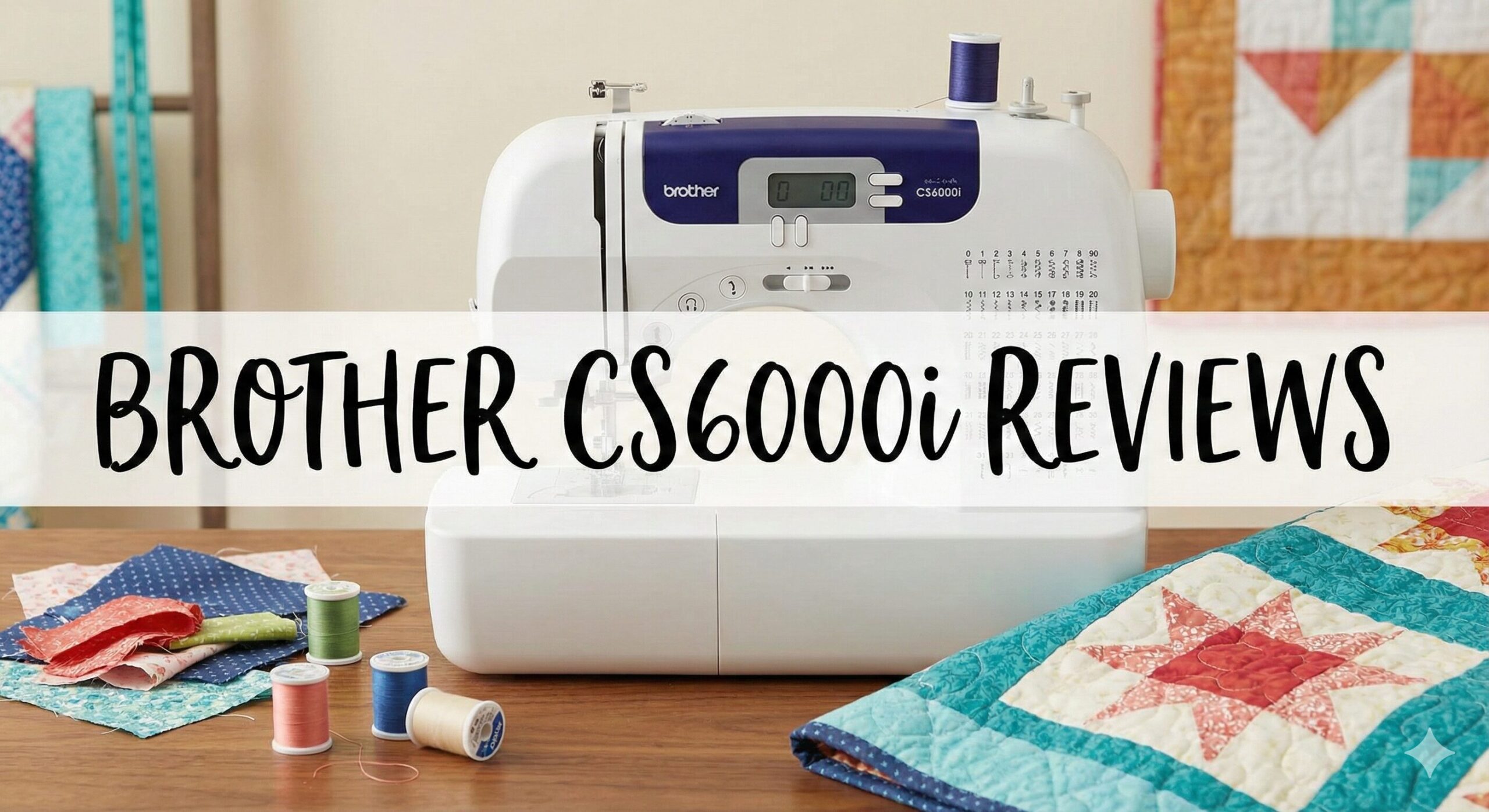
If you have spent any time researching beginner sewing machines over the last decade, you have undoubtedly crossed paths with the Brother CS6000i. For years, it was the undisputed champion of Amazon’s best-seller list—affordable, feature-rich, and surprisingly capable.
However, time moves on. Brother has since released updated models, specifically the Brother CS7000X, which serves as the direct successor. This leaves many sewists asking: Is the original CS6000i still a good buy in the current market? Does it hold up against modern competitors, or should you opt for the newer metal-frame versions?
In this comprehensive review, we revisit this iconic machine to see if it deserves a spot on your sewing table or if it belongs in a museum.
🏁 The Quick Verdict
The Brother CS6000i remains a solid, user-friendly machine that taught an entire generation how to sew. Its lightweight design, 60 built-in stitches, and included quilting table make it versatile for beginners.
However, here is the catch: It has been officially replaced by the CS7000X. The newer model features a metal frame (less vibration), a better needle threader, and often costs about the same price new.
Recommendation: Only buy the CS6000i if you find a great deal on a used or renewed unit. If you are buying new, get the Brother CS7000X instead.
Product Overview
The CS6000i is a computerized sewing machine, which means it uses a digital display and buttons to select stitches rather than mechanical dials. This is a massive advantage for beginners learning how to use a sewing machine because the computer automatically sets the optimal stitch length and width for you.
Key Specifications:
- Stitches: 60 built-in stitches (Utility, Decorative, Heirloom, Quilting).
- Speed: Up to 850 stitches per minute (adjustable via slider).
- Weight: Approx. 13 lbs (very portable).
- Bobbin: Top drop-in, Jam-resistant Quick-Set.
- Buttonholes: 7 styles of one-step auto-size buttonholes.
Deep Dive: Features & Performance
1. The Interface and Ease of Use
The genius of the CS6000i lies in its simplicity. The LCD screen is small but clear. You select a stitch number, and the screen tells you exactly which presser foot to use (e.g., “J” for standard, “G” for overcasting). This eliminates the guesswork that often leads to sewing machine troubleshooting sessions.
It also features a Speed Control Slider. If you are terrified of the machine running away with your fabric, you can set this to the lowest setting. Even if you stomp on the foot pedal, the machine will stitch slowly and steadily. You can even unplug the pedal and use the “Start/Stop” button for hands-free sewing.
2. Quilting Capabilities
For a budget machine, the CS6000i is surprisingly well-equipped for quilting. It includes:
- A Wide Extension Table: This snaps onto the free arm to support large quilts, preventing drag.
- A Walking Foot: Essential for feeding multiple layers of the “quilt sandwich” (top, batting, backing) evenly.
- Drop Feed Dogs: A switch on the back drops the feed dogs, allowing for free-motion quilting.
While it doesn’t have the throat space of a Brother PQ1500SL, it is perfectly capable of handling baby quilts and lap throws, especially if you use the best batting for quilting that isn’t too lofty.
3. Stitch Quality and Variety
With 60 stitches, you have enough variety to grow without being overwhelmed. The stitch quality on cotton and polyester is excellent. The buttonholes are particularly impressive for this price range—just place your button in the foot, and the machine sizes the hole automatically.
For knit fabrics, the machine includes stretch stitches. However, computerized machines can be sensitive to lint. If your stitches start skipping, check your needle and ensure you aren’t using cheap thread. We recommend sticking to the best cotton threads to keep the tension discs clean.

Performance Test: Can It Handle the Tough Stuff?
The Denim Test
Many users want to know if this plastic-bodied machine can hem jeans. We tested it on three layers of medium-weight denim. The CS6000i handled it, but you could hear the motor straining slightly. It is crucial to use a dedicated Jeans Needle (size 16/100). If you try to force it through thick side seams, you risk encountering the E6 error code, which signals the safety mechanism has stopped the motor.
Noise and Stability
Because the CS6000i uses a largely plastic internal frame (unlike the newer CS7000X which has a metal frame), it can vibrate at high speeds. Placing it on a sturdy surface or one of the best sewing tables helps dampen the noise significantly.
Pros & Cons
✅ The Good
- Incredible Value: Comes with table, hard case, and walking foot.
- Beginner Friendly: Speed slider and easy threading diagrams.
- Lightweight: Easy to take to classes or retreats.
- Versatile: Handles garments, quilts, and crafts equally well.
❌ The Bad
- Plastic Frame: Lacks the stability of newer “X” series models.
- Lighting: The single LED is quite dim; you’ll need a lamp.
- Bobbin Winder: Can be finicky and wind unevenly if not watched.
- Discontinued: Harder to find “New” without paying a premium.
Comparison: CS6000i vs. The World
Brother CS6000i vs. Brother CS7000X
This is the most critical comparison. The CS7000X is the upgrade. It solves the biggest issue of the CS6000i by adding a metal chassis. This makes the CS7000X smoother and more durable. It also has a larger needle-threading lever and 10 extra stitches. Unless the CS6000i is significantly cheaper (used), the CS7000X is the better buy.
Brother CS6000i vs. Brother XR9550
The Brother XR9550 (Project Runway) is very similar but features a different screen font and 110 stitches. If you want alphanumeric fonts for monogramming, go with the XR9550. If you just want basic sewing, the CS6000i (or CS7000X) is sufficient.
Brother CS6000i vs. Singer 7258
The Singer 7258 Stylist was the longtime rival. The Singer runs smoother and quieter, but the Brother CS6000i typically wins on value because it includes the extension table and walking foot in the box—accessories you have to buy separately for the Singer. See more on Singer vs Brother sewing machines.
Maintenance Tips
Even though it’s computerized, the CS6000i needs love. The drop-in bobbin area is a magnet for lint.
- Clean Weekly: Use the brush to sweep out lint from the bobbin case.
- Needles: Change your needle every 8 hours of sewing. A dull needle is the #1 cause of sewing machine needle problems.
- Protection: Use the included hard case. Dust is the enemy of the computer sensors inside.
Essential Add-Ons
To get the most out of this machine, consider these small investments:
- Sewing Clips: Easier than pins for holding binding. Check the best sewing clips.
- Rotary Cutter: For precise cutting before you sew. See our guide to rotary cutting.
- Universal Needles: Keep a stock of Schmetz or Organ needles (sizes 80/12 and 90/14).
Frequently Asked Questions
Does the CS6000i come with a warranty?
If bought new (or certified refurbished from an authorized dealer), it typically comes with Brother’s 25-year limited warranty. However, second-hand units do not transfer the warranty.
Can I use a twin needle?
Yes, the CS6000i supports twin needle sewing. It includes a secondary spool pin that attaches to the top of the machine.
Is it good for thick fabrics?
It is decent for occasional heavy work, but it is not a heavy-duty machine. For consistent heavy work, look at the Brother PQ1500SL.
Final Verdict
The Brother CS6000i earned its legendary status for a reason. It democratized computerized sewing, making it accessible and affordable for everyone. It is still a capable machine that can handle 90% of household projects.
However, technology has moved forward. The lack of a metal frame is its Achilles heel compared to modern units. If you already own one, treasure it—it’s a workhorse. But if you are shopping for a new machine today, the smart money is on its successor, the CS7000X, which offers better durability for roughly the same investment.