Brother PE800 Review: Is It The Best “Embroidery-Only” Machine for 2025?
If you have been browsing embroidery machines, you have likely hit a common wall: the 4×4 inch hoop limitation. Most entry-level machines restrict you to small designs, forcing you to struggle with re-hooping or shrinking your creative vision. The Brother PE800 was designed to smash that barrier without breaking the bank.
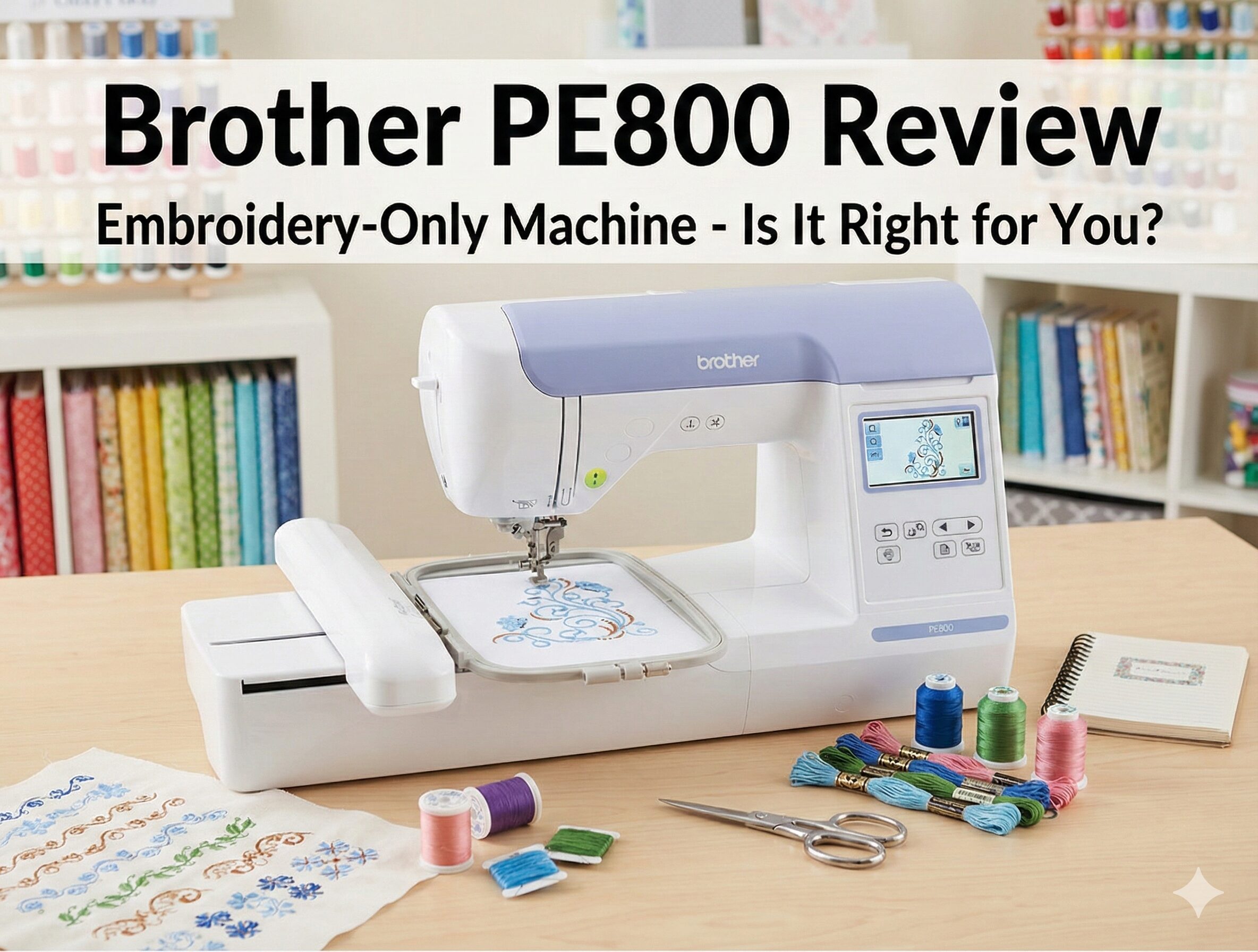
As a dedicated embroidery-only machine, the PE800 offers a generous 5×7 inch embroidery field, a color touch screen, and USB connectivity. It is widely regarded as the “gold standard” for home hobbyists who already own a standard sewing machine and want to add professional embroidery to their repertoire.
But with new models hitting the market and technology advancing rapidly, is the PE800 still the king of value? In this comprehensive review, we will test its stitch quality, ease of use, and compare it against its siblings—the Brother SE1900 and the SE600—to help you decide if this is the right addition to your craft room.
🏁 The Quick Verdict
The Brother PE800 remains the best value-for-money embroidery machine for those who already own a sewing machine. The 5×7 hoop is a game-changer, allowing for much larger designs than entry-level models. It is user-friendly, reliable, and produces beautiful stitch quality.
Who is it for? Quilters, cosplayers, and Etsy shop owners who need a dedicated embroidery unit.
Who is it NOT for? Someone who needs a machine that can also sew clothes (get the Brother SE1900 instead).

What is the Brother PE800?
The Brother PE800 is a computerized, embroidery-only machine. This is a critical distinction: it cannot sew regular stitches. It does not have feed dogs, and it does not come with a foot pedal (you operate it via a Start/Stop button).
If you are looking for a machine that does both sewing and embroidery, you are looking for a “combo” machine like the Brother SE1900. However, if you already have a trusty workhorse for construction—perhaps a Brother PQ1500SL or a CS7000X—adding the PE800 to your setup is often smarter and cheaper than buying a high-end combo unit.
Key Specifications:
- Hoop Size: 5″ x 7″ (130mm x 180mm).
- Built-in Designs: 138 designs.
- Fonts: 11 built-in fonts (7 English, 3 Japanese, 1 Cyrillic).
- Screen: 3.2″ Color LCD Touchscreen.
- Speed: 650 stitches per minute.
- Connectivity: USB Port (for importing .PES files).
Deep Dive: Features That Matter
1. The 5×7 Embroidery Field
The primary selling point of the PE800 is the hoop size. Entry-level machines like the PE535 or SE600 are limited to a 4×4 inch area. While 4×4 is fine for small logos, it is too small for large monograms, jacket backs, or in-the-hoop (ITH) plushies.
The 5×7 field on the PE800 opens up a new world of possibilities. It allows you to tackle larger projects without the headache of splitting designs and re-hooping fabric, which requires advanced software and precise alignment skills. If you are debating between hoop sizes, always go bigger. You will rarely regret having extra space.
2. Color Touch Screen & Editing
The 3.2-inch color LCD screen is a massive upgrade over older monochrome models like the PE770. The interface is intuitive and beginner-friendly. On-screen, you can:
- Drag and Drop: Move designs exactly where you want them.
- Rotate and Resize: Rotate in 1, 10, or 90-degree increments and resize by up to 20%.
- Preview Colors: See a realistic rendering of your design before you stitch.
- Edit Text: Create curved text or array text on multiple lines.
3. USB Connectivity
Gone are the days of connecting your machine directly to a computer with a cable. The PE800 features a USB port on the side. You simply download designs (in .PES format) from sites like Etsy or iBroidery, save them to a flash drive, and plug it in. The machine reads the drive instantly. This makes it compatible with both Mac and PC users since the machine acts independently of your computer’s OS.
4. Automatic Features
To make life easier, the PE800 includes an advanced needle threader. You simply press a lever, and the machine threads the eye of the needle for you—a lifesaver for changing thread colors frequently. It also has an automatic thread cutter button that trims both the top and bobbin threads at the end of a color block.
Performance Evaluation
Stitch Quality
We tested the PE800 on various fabrics, including denim, cotton, and terry cloth towels. The stitch quality is impeccable. The satin stitches are smooth and dense, and the fill stitches provide excellent coverage. Tension issues were rare, provided we used the correct quality threads and stabilizers.
However, like any embroidery machine, it is sensitive to how you hoop your fabric. Using sewing clips or temporary adhesive spray to secure your stabilizer is crucial. If you encounter issues, our guide on why is my sewing machine jamming covers common tension troubleshooting that applies here too.
Speed and Noise
At 650 stitches per minute, the PE800 is reasonably fast for a home machine, though slower than multi-needle industrial units. It is relatively quiet, producing a rhythmic humming sound. It is stable enough that it doesn’t bounce around on a sturdy sewing table, but we recommend a rubber mat underneath to dampen vibration.
Pros & Cons
✅ The Good
- Hoop Size: 5×7 inch field is the best in class for the price.
- Screen: Color touch screen makes editing designs easy.
- Ease of Use: Auto needle threader and thread cutter save time.
- Memory: Built-in memory saves your edited designs.
- Tutorials: Built-in help guides on the screen.
❌ The Bad
- No Sewing: Cannot be used for garment construction.
- Jump Stitches: Does not automatically trim jump stitches (you must snip them manually).
- No Wi-Fi: Data transfer is USB only (unlike the newer PE900).
- Bobbin Sensor: Sometimes overly sensitive, warning of low bobbin too early.
Comparison: Brother PE800 vs. The Competition
Brother PE800 vs. Brother SE1900
This is the most common comparison. The SE1900 is essentially a PE800 that also sews. It has the same screen, same 5×7 hoop, and same embroidery motor.
Verdict: If you do not have a sewing machine, buy the SE1900. If you already have a sewing machine, buy the PE800 and save the money. Read our full Brother PE800 vs SE1900 comparison.
Brother PE800 vs. Brother SE600
The SE600 is a combo machine but is limited to a 4×4 hoop. While the SE600 is cheaper, the 4×4 hoop is very limiting for most users after a few months.
Verdict: The PE800 wins on embroidery capability due to the size. Only choose the SE600 if you are on a strict budget and need sewing capabilities too. See the Brother PE800 vs SE600 guide.
Brother PE800 vs. Brother PE900
The PE900 is the successor to the PE800. The main upgrade is Wi-Fi connectivity, allowing you to transfer designs wirelessly using the Artspira app. It also has a slightly faster processor. If the price difference is small, go for the PE900. If the PE800 is on sale, it remains an incredible bargain.
Maintenance and Accessories
To get the most out of your PE800, you need the right supplies:
- Stabilizer: You cannot embroider without it. Tear-away for woven fabrics, cut-away for knits, and water-soluble for towels.
- Thread: Use 40wt polyester embroidery thread. You will also need 60wt or 90wt bobbin thread (usually white).
- Needles: Stock up on 75/11 and 90/14 embroidery needles. A dull needle will cause thread breaks. See our guide on needle problems.
- Scissors: You will need small, curved embroidery scissors (often called snips) to trim jump threads closely. Check our list of essential sewing scissors.
Maintenance Tip: Embroidery creates a lot of lint. Remove the needle plate and clean the bobbin case area after every project to prevent the dreaded E6 error code.
Frequently Asked Questions
Can I make my own designs?
Yes, but not on the machine itself. You need to use computer software (like PE-Design, Hatch, or Embrilliance) to digitize an image into a .PES file, then transfer it to the machine via USB.
Does it cut jump stitches?
The PE800 cuts the thread at the end of a color change, but it does not automatically cut jump stitches (the thread traveling between two parts of the same color). You have to trim those manually.
Is it hard to learn?
Brother machines are known for being very user-friendly. The on-screen guides and threading diagrams make it easy for beginners. Most users are up and running within an hour.
Can I use a larger hoop?
You can buy a “multi-position” hoop that is physically larger (e.g., 5×12), but the machine can still only stitch a 5×7 area at a time. You have to split the design in software and move the hoop to stitch the second half.
Final Verdict: Should You Buy the Brother PE800?
The Brother PE800 occupies a sweet spot in the market. It offers professional-grade features—specifically the 5×7 hoop and color screen—at a price accessible to hobbyists. It is reliable, easy to use, and produces stunning results.
If you already own a sewing machine and want to start an embroidery business or personalize your crafts, the PE800 is the smartest investment you can make. It avoids the redundancy of paying for a second sewing motor (like in the SE1900) while giving you the hoop space you actually need.
Ready to start stitching?